Radar
Web app · LiveScan a public page, understand its accessibility issues, and get an AI-ready fix prompt.
How I built it
I planned Radar through the BMAD workflow, starting with research into existing accessibility tools and the people they leave behind. I designed the interface and built the scan process from the initial URL request through to the final results.
Designing around the user
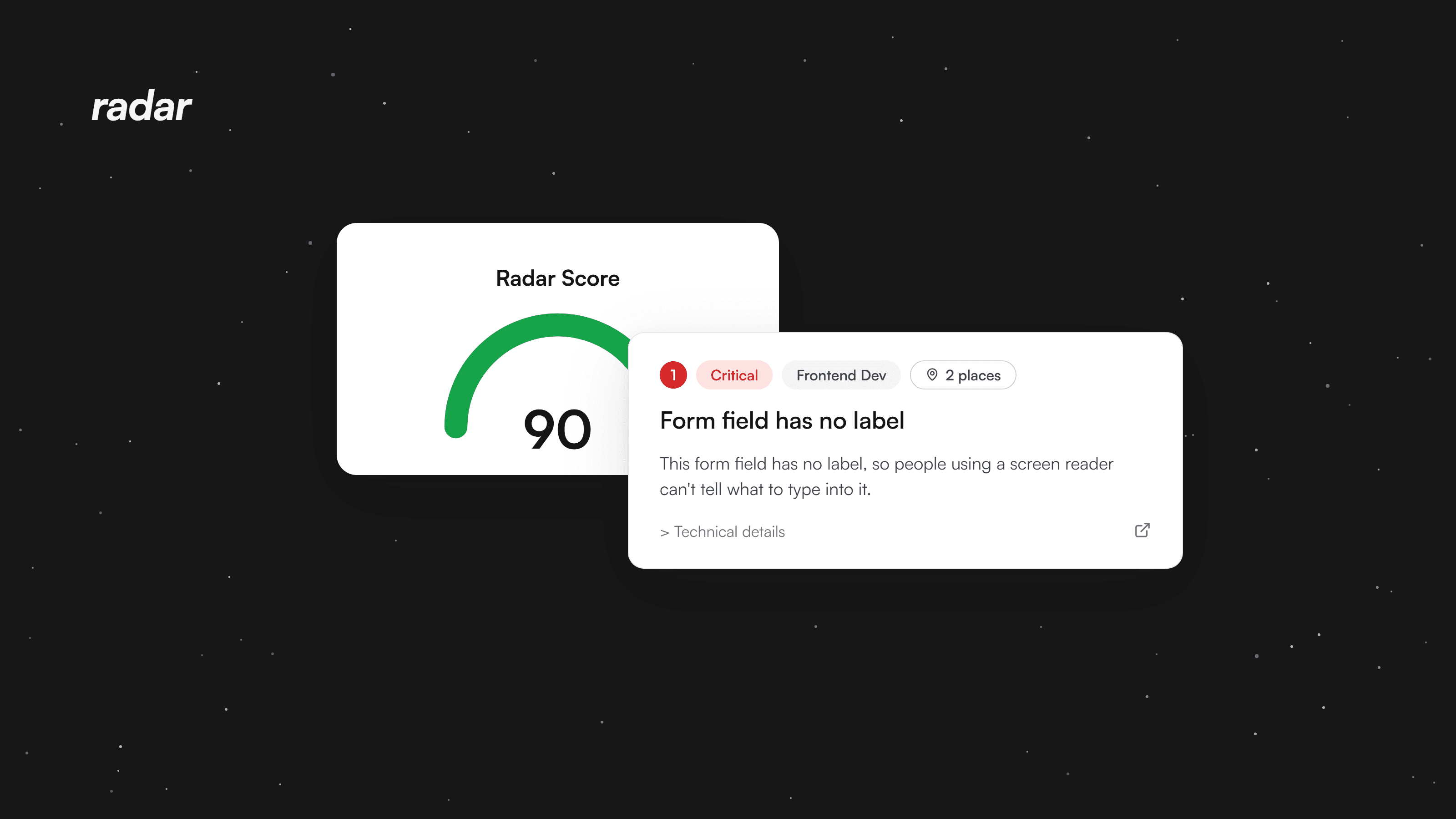
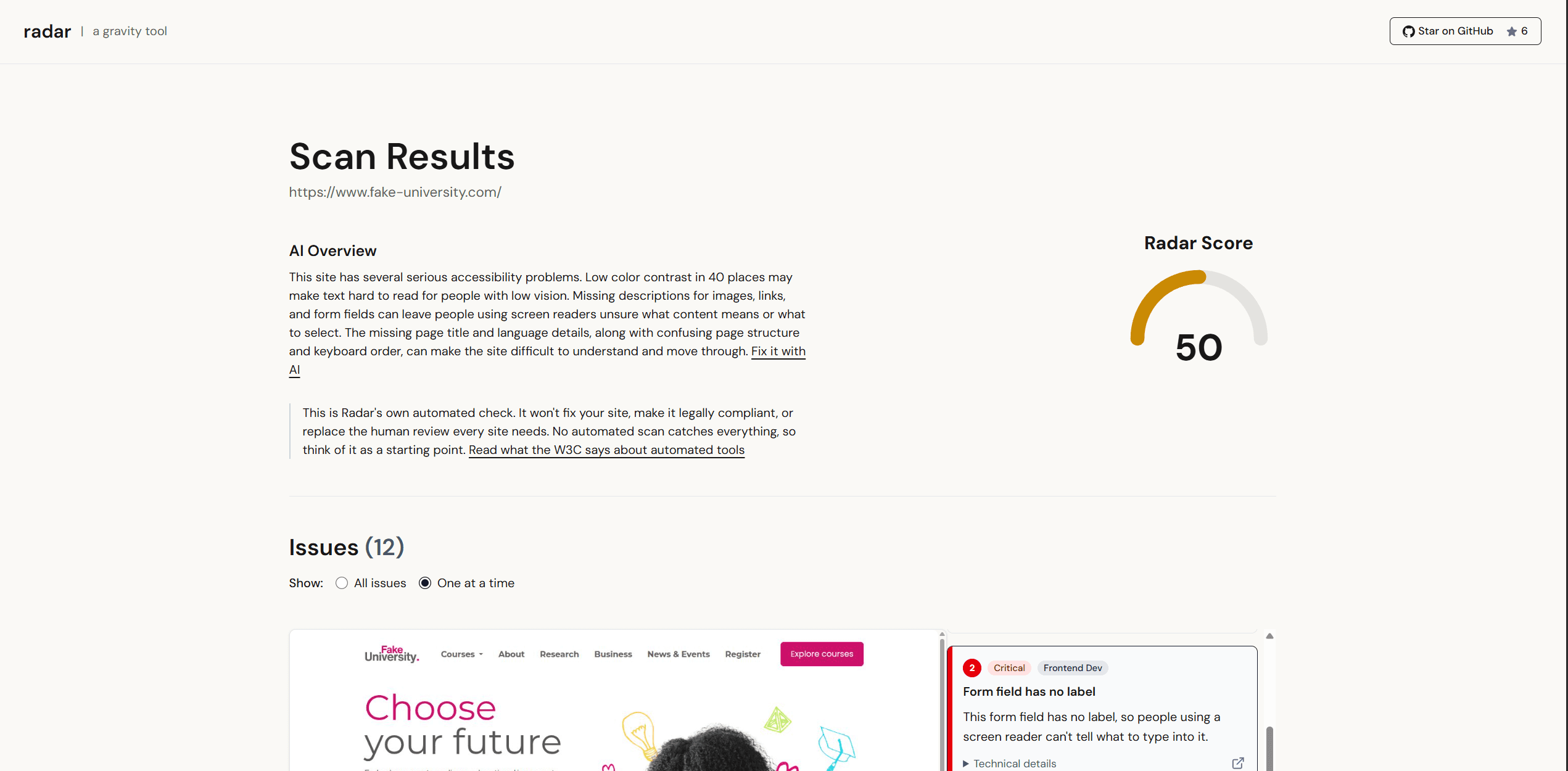
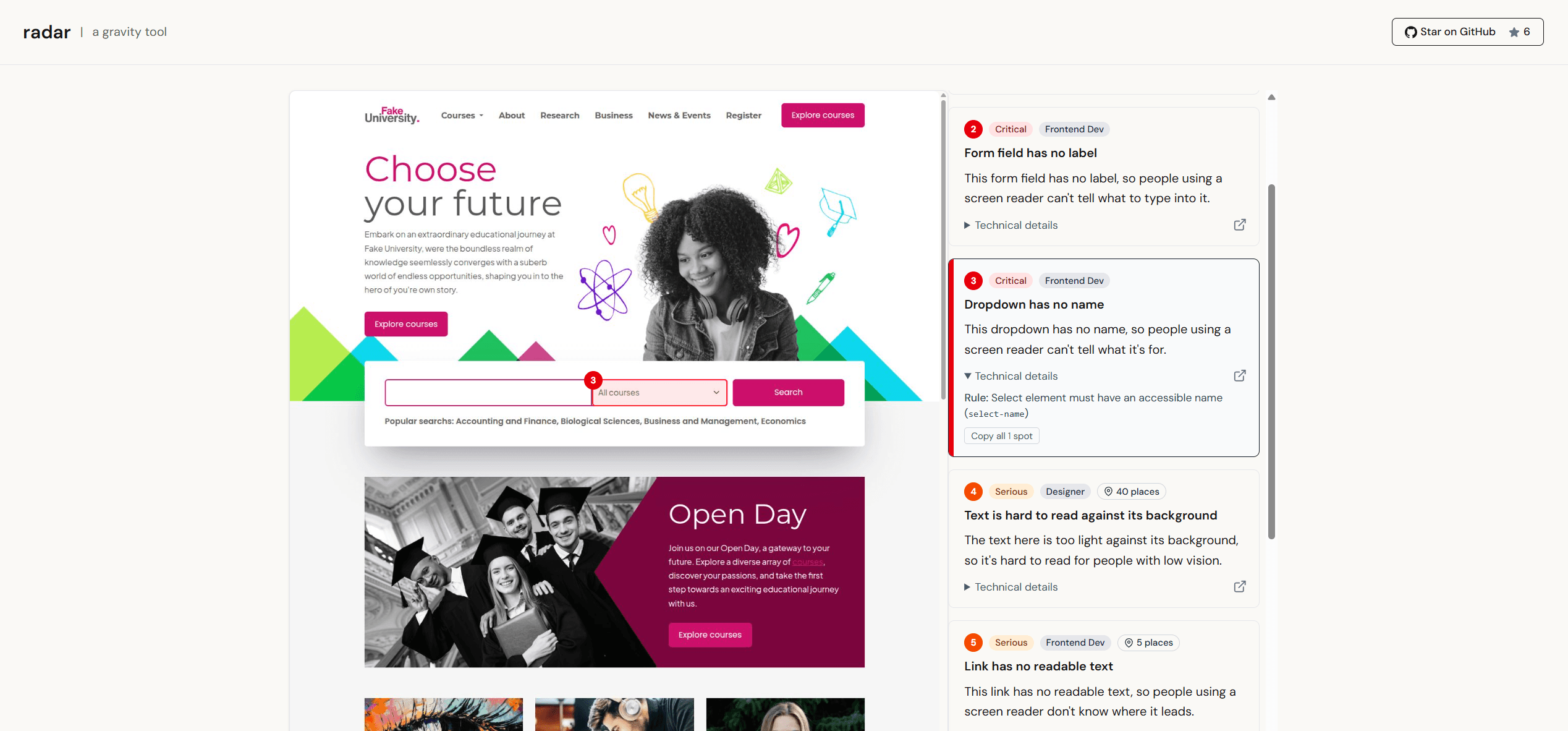
I designed the results in layers: a quick score and overview, plain-English issue cards, visual highlights, and technical details for people who need them. On mobile, the issue cards come first and the full-page screenshot is optional because shrinking a desktop page onto a phone made it useless.
Running the scan
Playwright connects to a remote Hyperbrowser session, loads the full page, captures a screenshot, and runs axe-core. PageSpeed Insights provides the accessibility score when it is available.
Keeping Radar free
Radar runs on Hyperbrowser's free plan, which allows one browser session at a time. I added rate limiting to control usage, check links before they use any resources, and close unfinished sessions so the next visitor is not left waiting.
What I learned
Isolate was my first serious backend project, and Radar let me apply those lessons to a different problem. Instead of sending one audio file to one API, I was taking a public URL, controlling a remote browser, and bringing several services together in one scan.
I learned to think through the full lifecycle of a request: what enters the route, when it becomes trusted, when work begins, and what happens when something fails. Real scans exposed problems that TypeScript, lint, and a successful build could not, including bad URLs consuming rate limits before validation.
Radar also taught me that more information is not always more useful. I had to decide what a business owner needs first, what a developer may want next, and what could wait. I learned a lot, and I can see the decisions I would make earlier on my next full-stack project.